Tab Design
In the Design tab of the Configuration module, visual settings can be made for the complete NeuroomNet frontend (not user-specific):
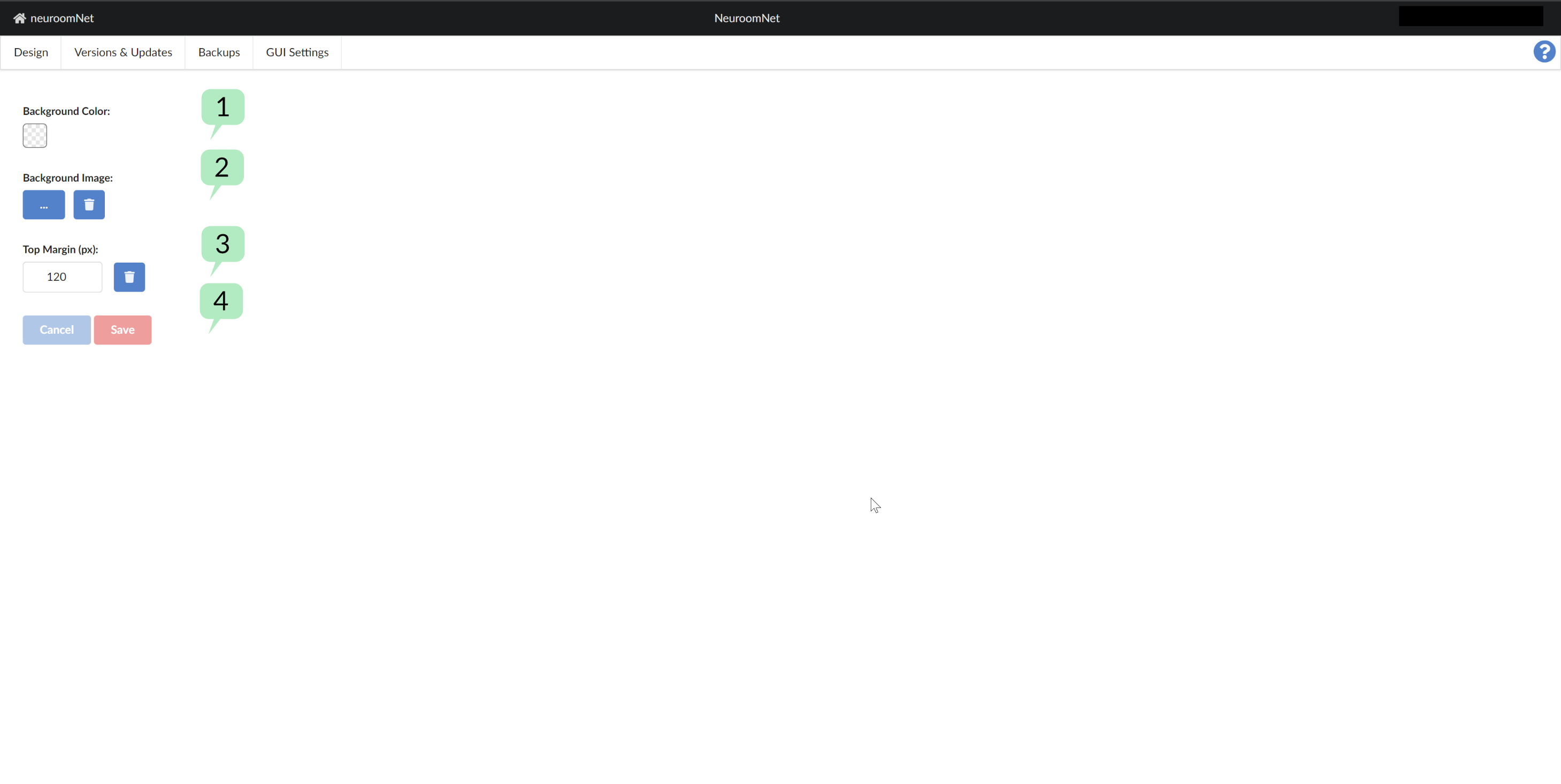
The background colour can be set using the ColorPicker 1.
Using the buttons at 2 a background image can be uploaded / used or removed again.
The following applies in particular to background images:
- PNG files with transparency are also possible for the background image file.
- The respective image is fixed on the page, so it remains in place when you scroll down.
- Large images are scaled down depending on the desktop resolution according to the "object-fit – contain" principle (CSS).
With the buttons at 3 a top offset (in pixels) can be set for positioning a background image in use (see 2, above) and reset to the default value.