Tutorial Step 2: Parameters / Variables
In many cases, controls are used to display or modify variable values. It may happen that several building blocks on the template need to work with the same variable. Therefore a template knows the concept of parameters: for each variable used in the template, a separate parameter is defined. The building blocks then refer to this parameter, and a new assignment of the parameter to a different variable is then directly available for all building blocks — this is exactly what happens when a template is inserted as a copy into a panel.
A new parameter can be created by switching to the Parameters tab and clicking the plus button.
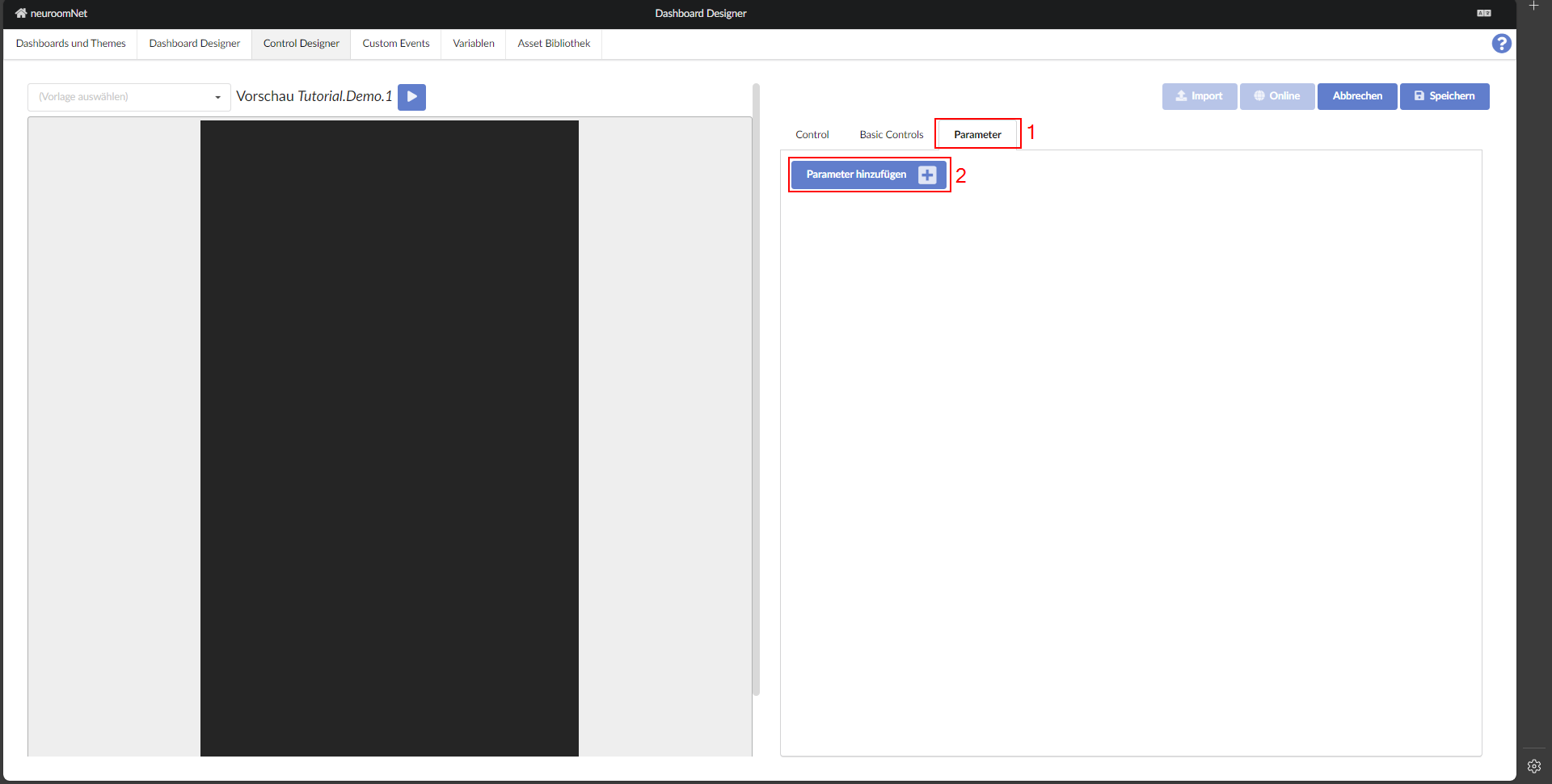
The first step after adding a parameter should always be to give it a meaningful name and to click "(Select variable)".
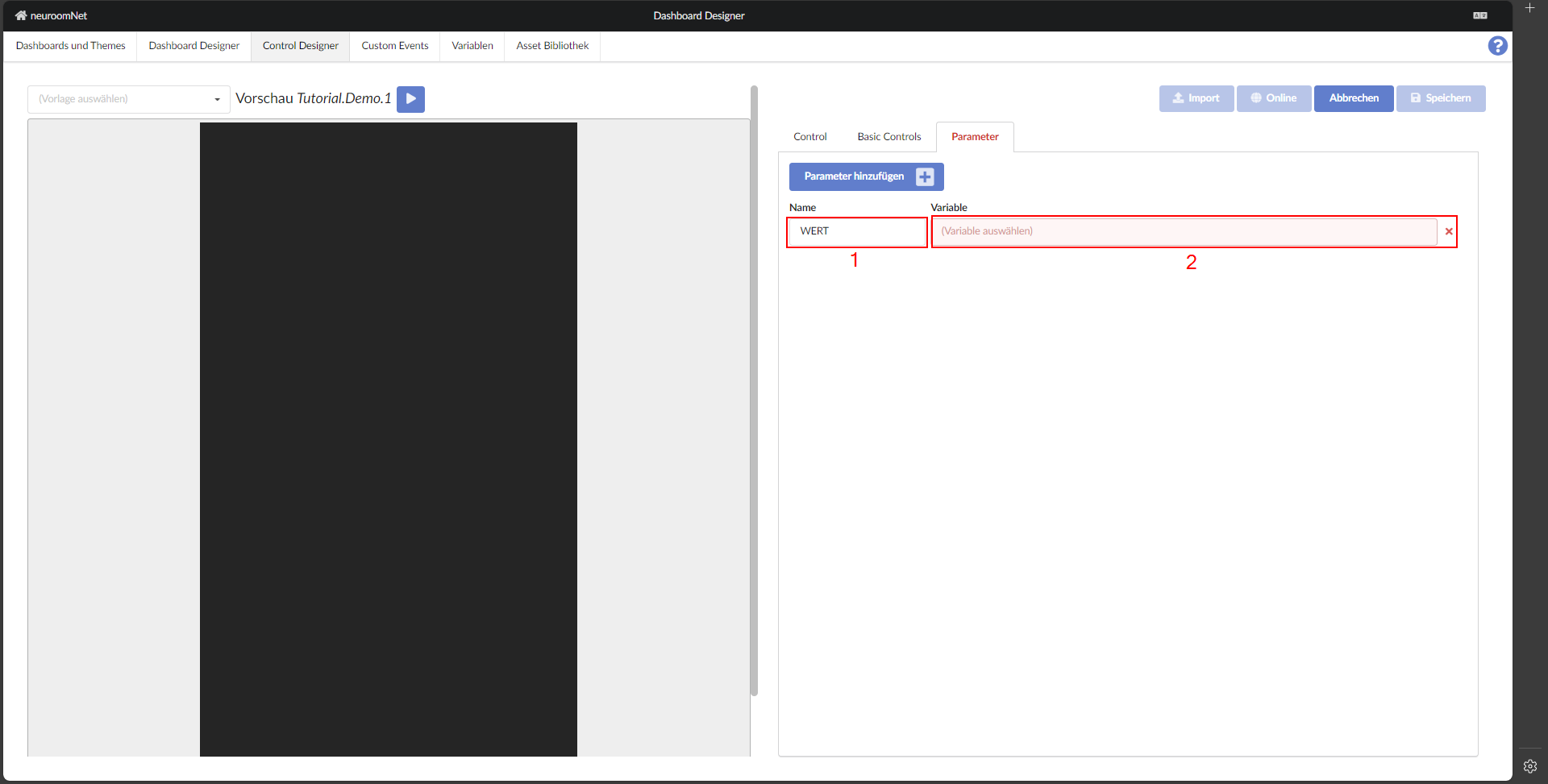
Now a suitable variable must be selected or, if needed, a new one created. Simply click the field showing the variable name.
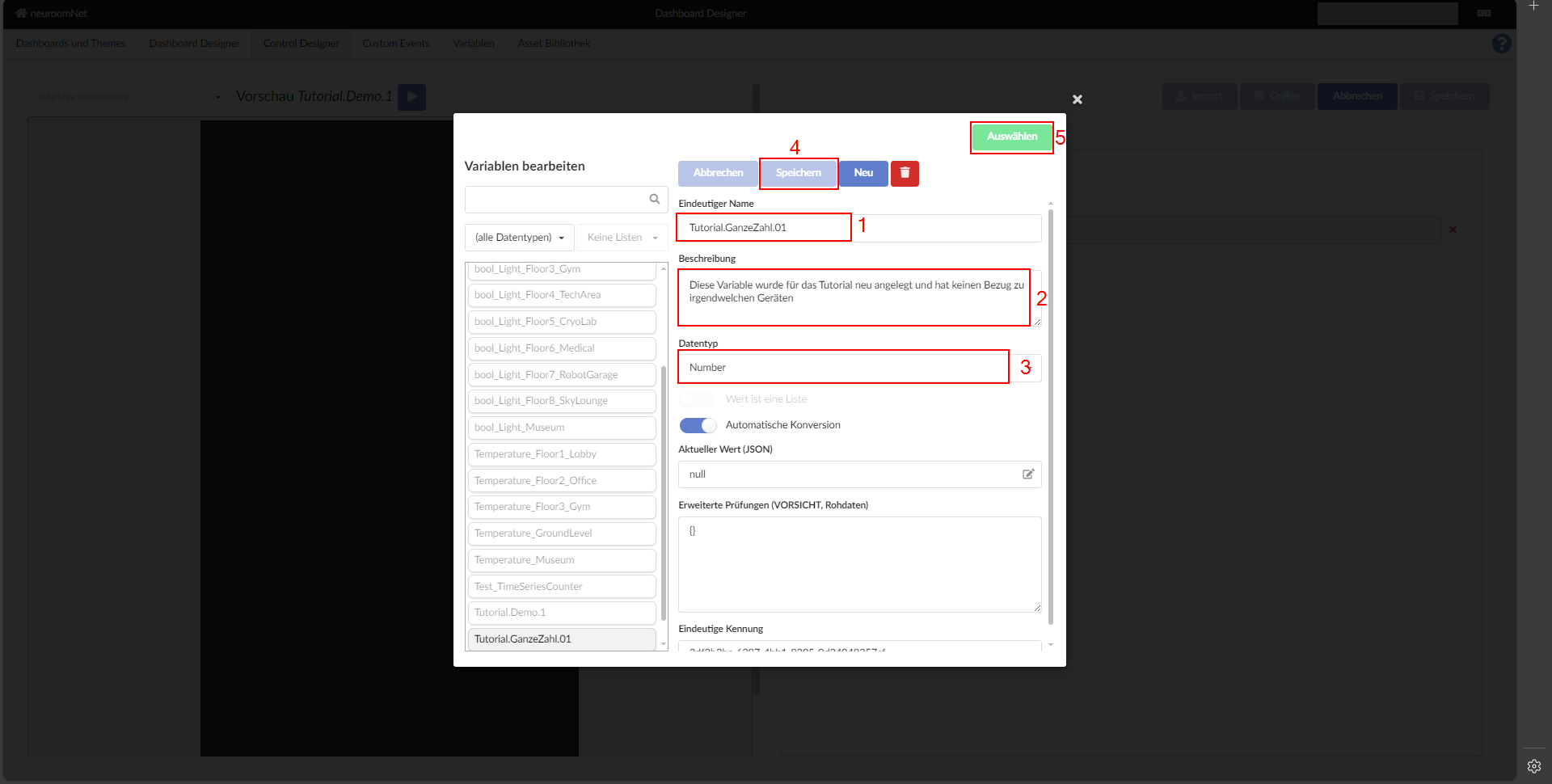
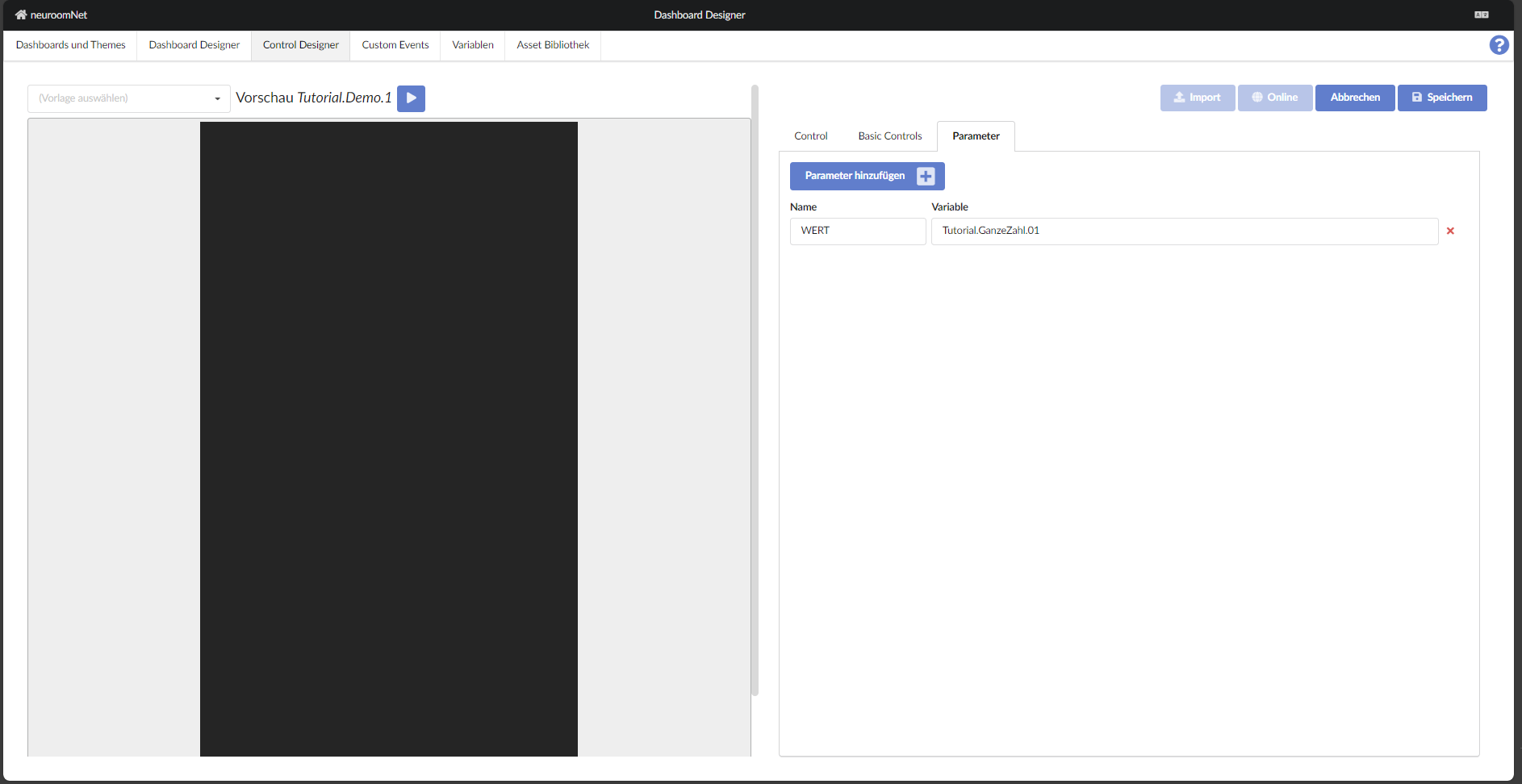
For newly created parameters, the variable assignment is marked as a template, which can be changed if desired.
Next: Displaying a Value