Tutorial Step 5: Formatting Values
The display of the formatted value is still somewhat unsatisfactory. On one hand, the implicit scaling by a factor of 10 is not taken into account, and on the other hand, the physical unit is missing. Even if you know that a temperature is being displayed, it is not clear whether it is Celsius, Fahrenheit, or Kelvin.
To configure the display, select the elementary building block "Temperature" (type "Value").
It should be noted here that it was good that we named the previous building blocks, because otherwise it can quickly become confusing (without a name, only the type of the building block is displayed). With many building blocks of the same type, this can make maintenance more difficult. Naming building blocks also plays an important role in the overall system: if a building block has a name, its interactions can be recognised and evaluated by the media control.
Back to formatting the display: For formatted text, a JavaScript formula can be specified in the "Description" field that describes a corresponding conversion of the actual value of the parameter for display. Here v stands for the current value.
Warning: Currently, expression checks are minimal, so this still represents a significant security vulnerability (script injection into the control).
- When entering the JavaScript formula, note that instead of a single quote (') a backtick (`) is used.
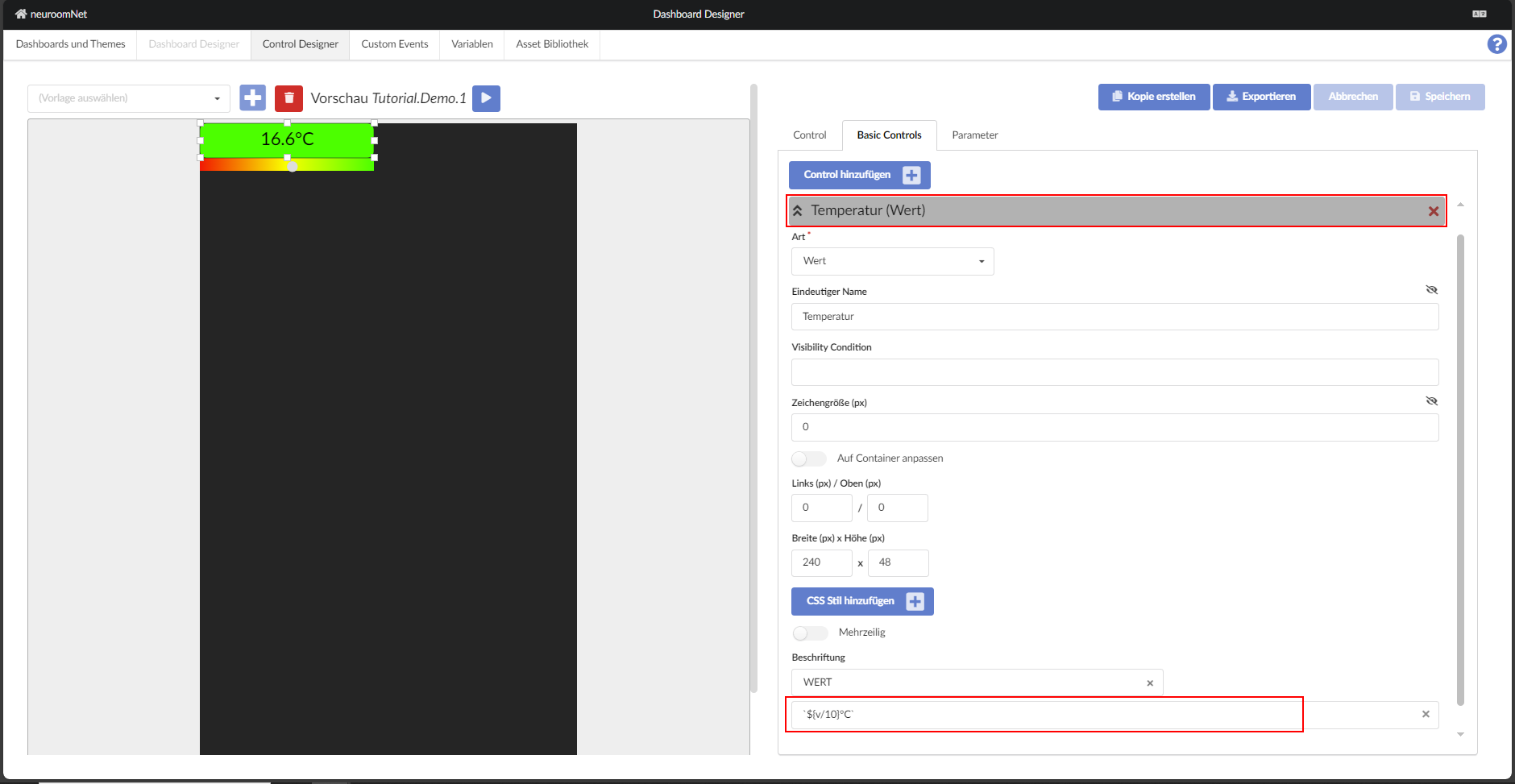
Now the display and manipulation of the value in the test looks considerably more elegant.

As state, three possible alternatives are currently supported:
- not present: the soft red is used as background
- set (true): the background is green
- not set (false): the background is red
In the example, the background should therefore be green as long as the value has not reached the threshold of 30°C, then red.
If the value of Active is present but not set (false), all interactions of the building block are disabled. It is interesting here that this is always the case (the formula delivers a static value) and especially independent of the value of a parameter. Of course, binding to a parameter is also possible.