Tutorial Step 9: Import
When a new template is created, it is also possible to import a corresponding JSON file via the provided button.
The following steps should be performed to export the template and import it as a template:
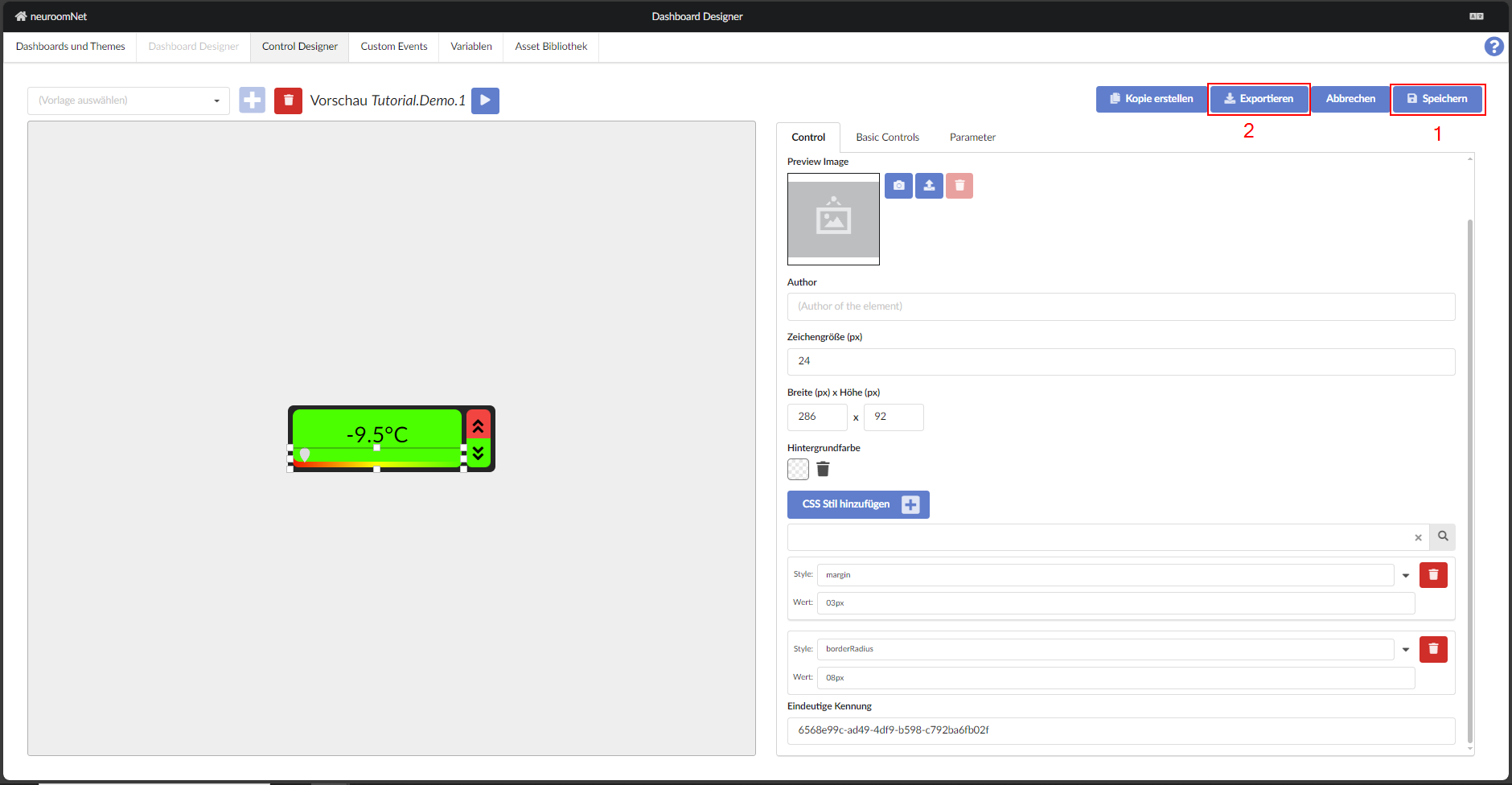
- The template is saved at the top right of the screen.
- Click "Export" and download the file.
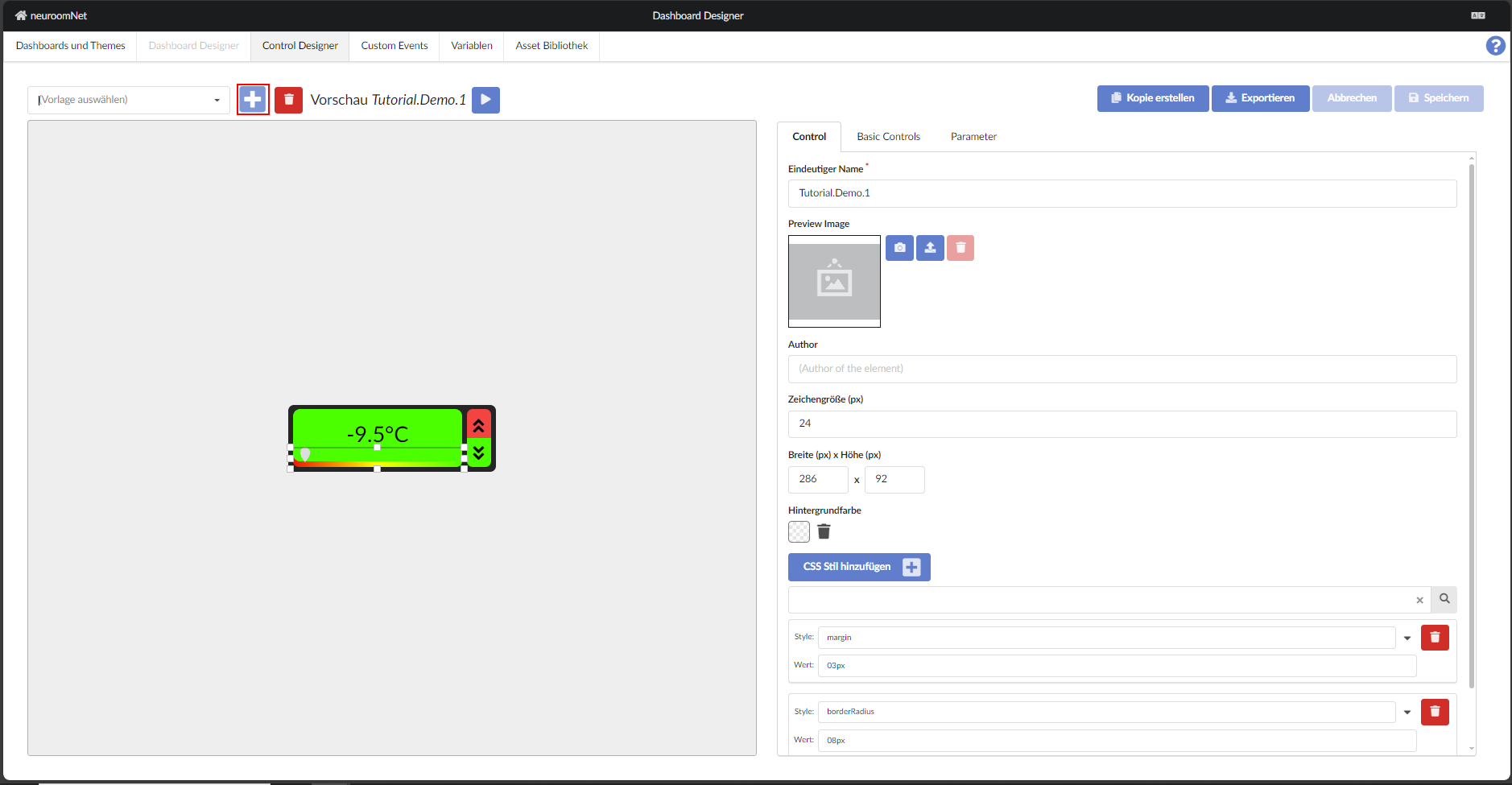
- Click the plus sign at the top left of the screen.
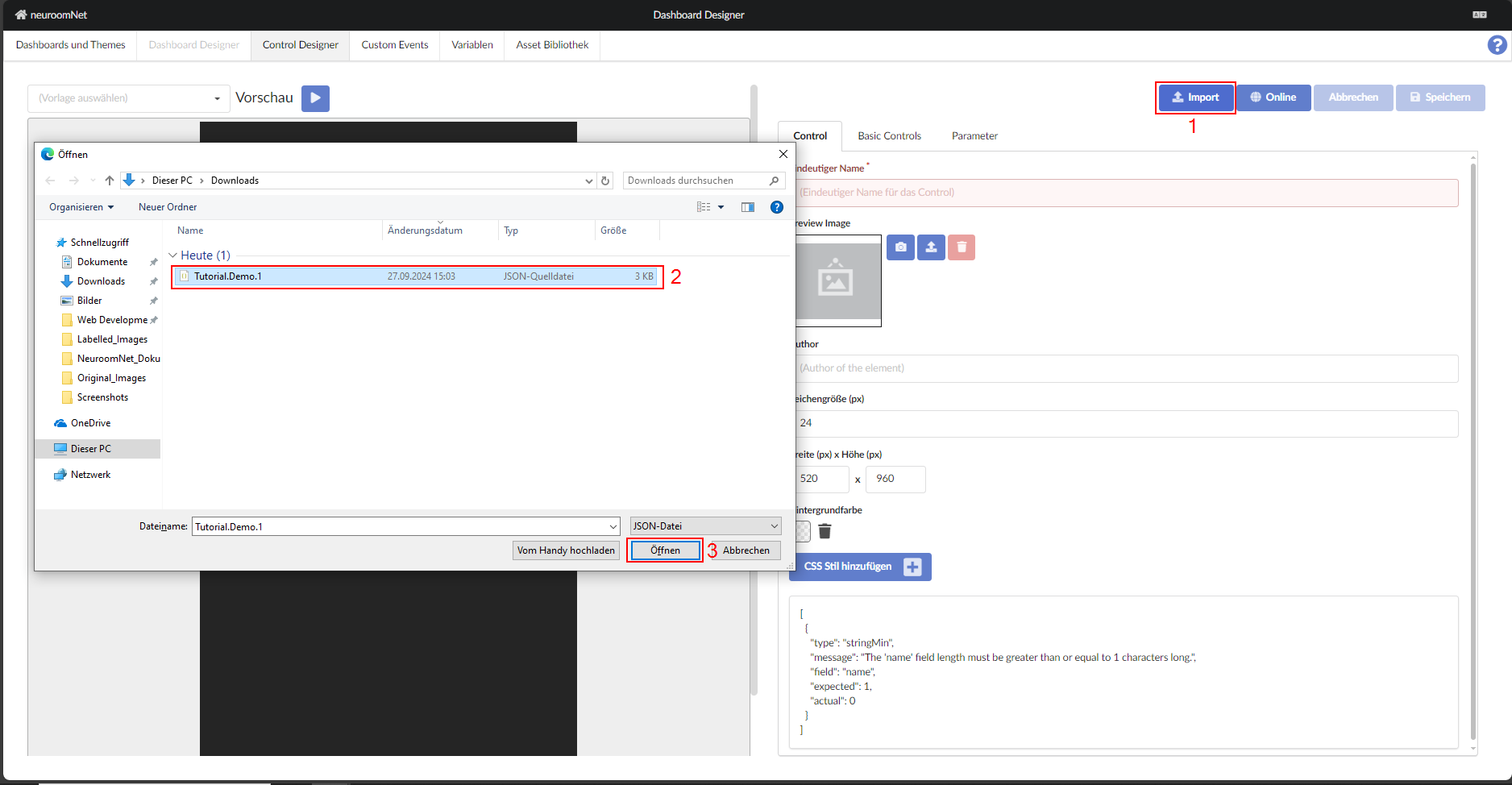
- Click "Import" at the top right.
- Select the .json file that was downloaded after exporting.
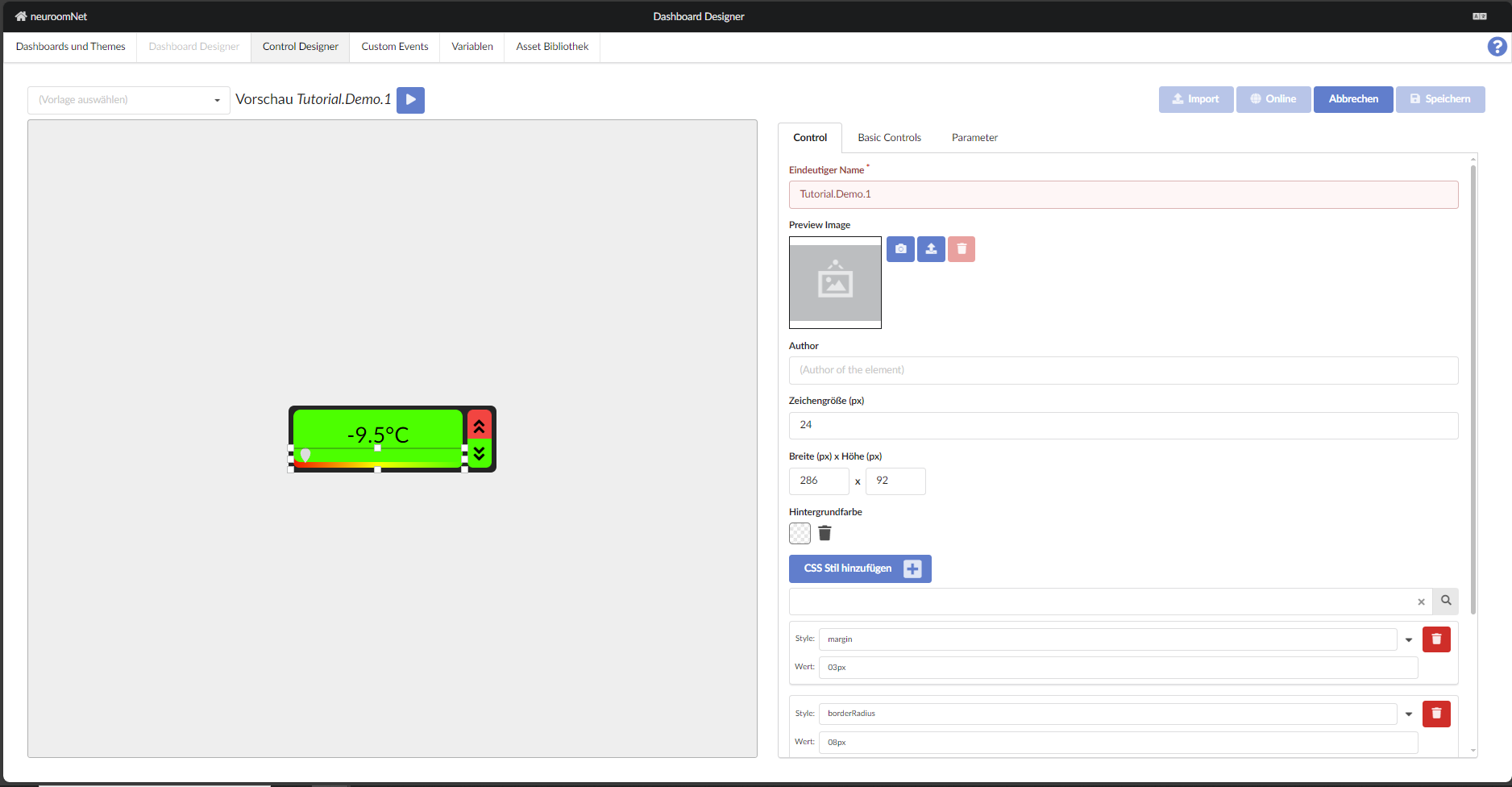
- The imported template now looks like this:
Here as an example the representation of the previous tutorial (steps 1 to 8) in JSON form — not necessarily for the faint of heart! An export is currently not yet planned.
    {
  "author": null,
  "json": {
    "controls": [
      {
        "activeId": { "mapperCode": "", "parameterId": "" },
        "backgroundColor": "linear-gradient(90deg, #ff0000 0%, #ffff00 50%, #00ff00 100%)",
        "enableId": { "mapperCode": "", "parameterId": "" },
        "events": {},
        "fontSize": 0,
        "height": 30,
        "knobColor": "#dddddd",
        "knobType": "drop-down",
        "left": 0,
        "max": 400,
        "min": -100,
        "readonly": false,
        "style": "{}",
        "theme": "",
        "top": 56,
        "type": "slider",
        "value": {
          "mapperCode": "",
          "parameterId": "70cdef51-40ec-45ca-abb3-0d4996978f5a"
        },
        "width": 240,
        "name": "Temperatur Regler"
      },
      {
        "activeId": {
          "mapperCode": "v < 300",
          "parameterId": "70cdef51-40ec-45ca-abb3-0d4996978f5a"
        },
        "enableId": { "mapperCode": "false", "parameterId": "" },
        "events": {},
        "fontSize": 0,
        "height": 72,
        "left": 0,
        "style": "{\"opacity\":\"1\",\"borderRadius\":\"10px\"}",
        "theme": "",
        "top": 0,
        "type": "button",
        "width": 240,
        "name": "Background"
      },
      {
        "fontSize": 30,
        "height": 72,
        "left": 0,
        "multiLine": false,
        "style": "{\"--format-text-align\":\"center\"}",
        "text": {
          "mapperCode": "`${v/10}°C`",
          "parameterId": "70cdef51-40ec-45ca-abb3-0d4996978f5a"
        },
        "theme": "",
        "top": 0,
        "type": "format",
        "width": 240,
        "name": "Temperatur",
        "fitToContainer": false
      },
      {
        "activeId": { "mapperCode": "false", "parameterId": "" },
        "enableId": { "mapperCode": "", "parameterId": "" },
        "events": {
          "onClick": {
            "id": "DeltaVariables",
            "parameters": [
              {
                "json": "10",
                "parameterId": "70cdef51-40ec-45ca-abb3-0d4996978f5a"
              }
            ],
            "target": "control"
          }
        },
        "fontSize": 0,
        "height": 40,
        "left": 240,
        "style": "{\"border-bottom-right-radius\":\"0px\",\"border-bottom-left-radius\":\"0px\"}",
        "theme": "",
        "top": 0,
        "type": "button",
        "width": 40,
        "name": "UP_Button"
      },
      {
        "fontSize": 0,
        "height": 40,
        "icon": "angle double up",
        "left": 241,
        "style": "{}",
        "theme": "",
        "top": 5,
        "type": "icon",
        "width": 40,
        "name": "UP"
      },
      {
        "activeId": { "mapperCode": "true", "parameterId": "" },
        "enableId": { "mapperCode": "", "parameterId": "" },
        "events": {
          "onClick": {
            "id": "DeltaVariables",
            "parameters": [
              {
                "json": "-10",
                "parameterId": "70cdef51-40ec-45ca-abb3-0d4996978f5a"
              }
            ],
            "target": "control"
          }
        },
        "fontSize": 0,
        "height": 40,
        "left": 240,
        "style": "{\"border-top-right-radius\":\"0px\",\"border-top-left-radius\":\"0px\"}",
        "theme": "",
        "top": 40,
        "type": "button",
        "width": 40,
        "name": "DOWN_Button"
      },
      {
        "fontSize": 0,
        "height": 40,
        "icon": "angle double down",
        "left": 241,
        "style": "{}",
        "theme": "",
        "top": 42,
        "type": "icon",
        "width": 40,
        "name": "DOWN"
      }
    ],
    "fontSize": 24,
    "height": 92,
    "parameters": [
      {
        "id": "70cdef51-40ec-45ca-abb3-0d4996978f5a",
        "name": "WERT",
        "variableId": "Tutorial.GanzeZahl.01",
        "variableType": "Int"
      }
    ],
    "style": "{\"margin\":\"03px\",\"borderRadius\":\"08px\"}",
    "theme": "",
    "width": 286
  },
  "name": "Tutorial.Demo.1",
  "previewImage": null
}