Tutorial Step 4: Assign Parameters
If the copy of a template with at least one parameter is selected and this is marked as Template in the template, an alternative assignment to a variable is offered.
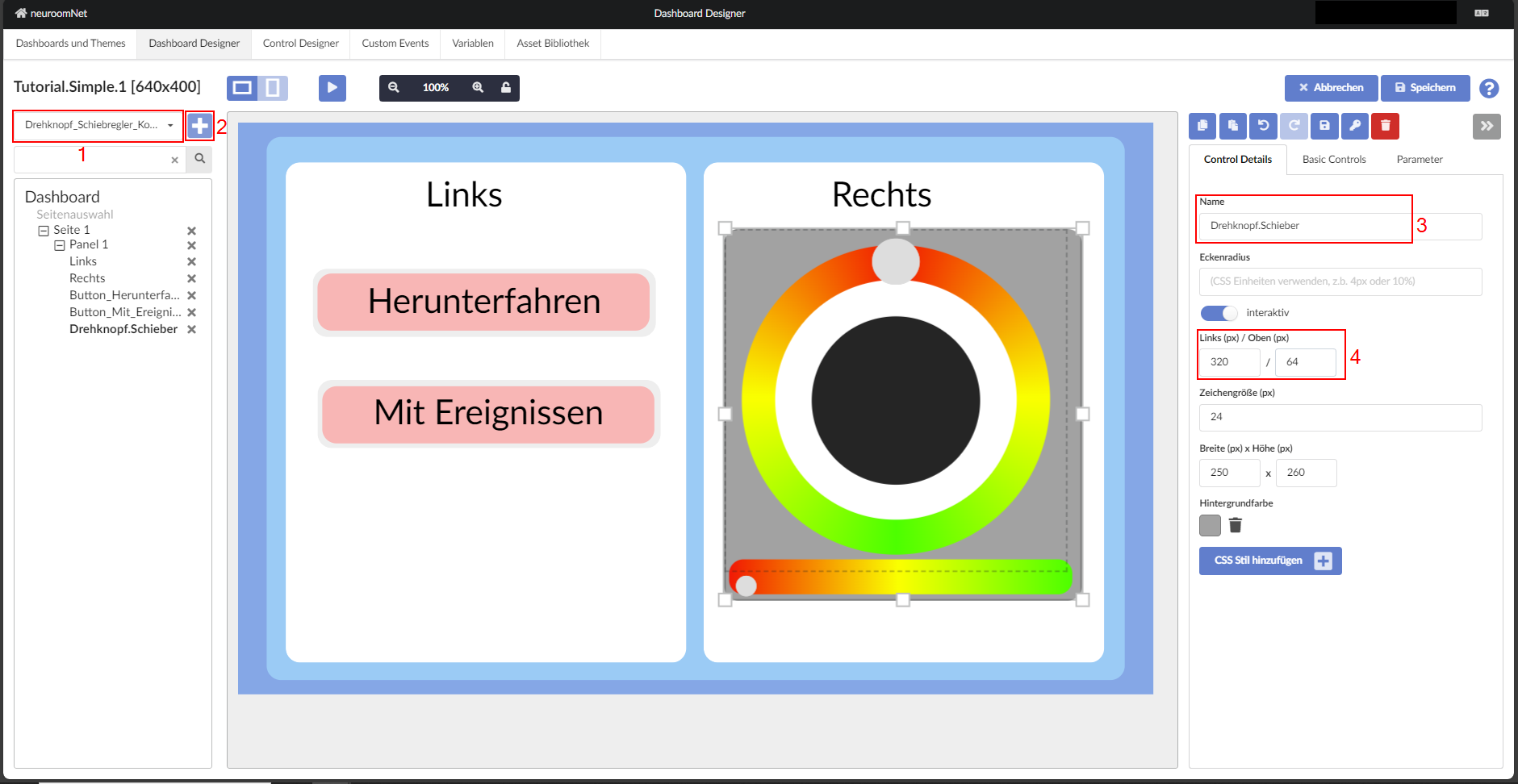
To add the last element of this tutorial, a template named "Drehknopf_Schieberegler_Kombi" must be selected from the template list at the top left of the page and inserted into the dashboard.
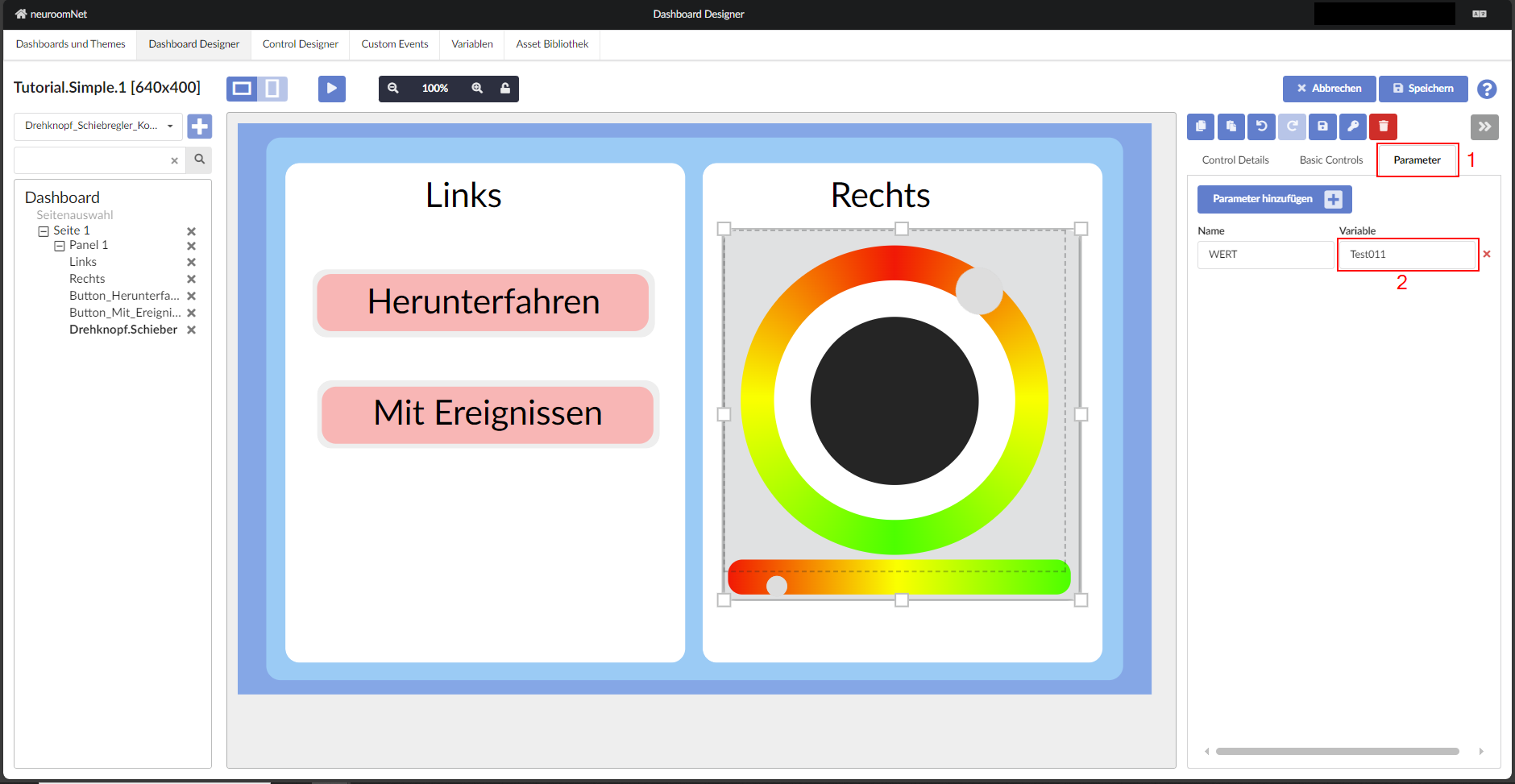
In the template, a parameter VALUE is defined as Template and connected to the variable Test011. By clicking on the name of the variable, a different variable can be selected for use on the panel.
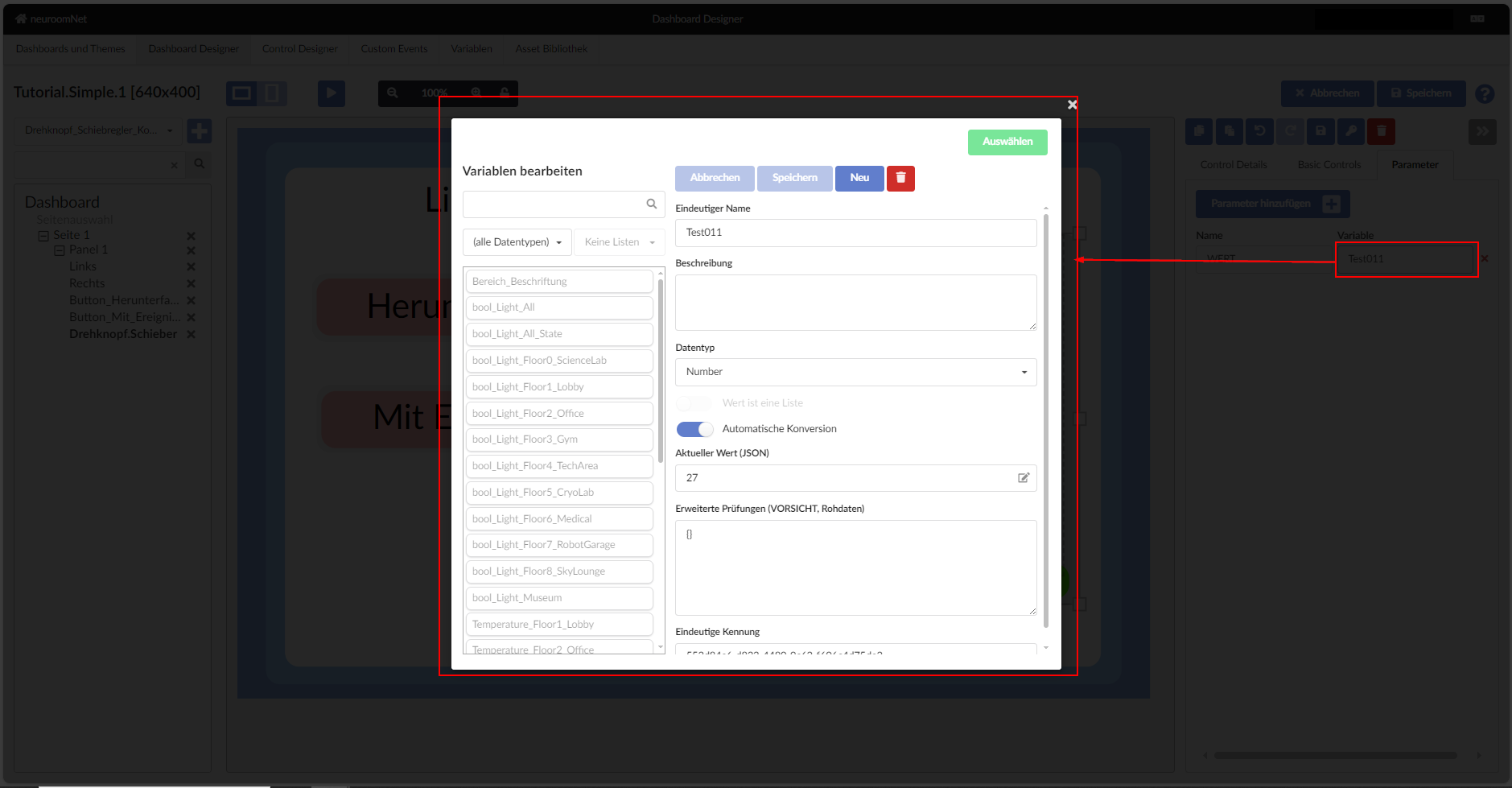
Through the above steps you can change the variable assigned to a template.
Next: Run the panel