Configuring APIs (object classes)
Endpoints
An API is configured via /schema/<ns>/<api>, here for the namespace ns and the API api. The description is transmitted in JSON format (structure see below).
| Method | Effect |
|---|---|
POST /schema/<ns>/<api> | Creates a new API. If it already exists, an error (400) is reported. The account used is recorded as the owner of the API. |
PUT /schema/<ns>/<api> | Completely replaces the description of an existing API. If it does not exist, an error (400) is reported. |
DELETE /schema/<ns>/<api> | Removes an API. All associated records are irrevocably deleted. |
GET /schema/<ns>/<api> | Returns the current description of the API. |
GET /schema/<ns> | Returns the names of all APIs in the namespace on whose records the account has at least read rights (unsorted). |
GET /schema | Returns all namespaces for which the account has namespaceAdmin or namespaceUser and in which an API already exists. There is no filtering or sorting. |
GET /projects | Returns the descriptions of all visible APIs, each supplemented with namespace and api. Basis of the project view. |
For visibility, see also How rights combine.
POST, PUT and DELETE respond with { "id": "…" }, the internal identifier of the API.
Examples with curl:
CMS=https://cms.example.org
USER='CMS_User_01:<password>'

# Create, modify, delete (description in api1.json)
curl -X POST   -u "$USER" -H 'Content-Type: application/json' -d @api1.json "$CMS/schema/tutorial/api1"
curl -X PUT    -u "$USER" -H 'Content-Type: application/json' -d @api1.json "$CMS/schema/tutorial/api1"
curl -X DELETE -u "$USER" "$CMS/schema/tutorial/api1"

# Read
curl -u "$USER" "$CMS/schema"
curl -u "$USER" "$CMS/schema/tutorial"
curl -u "$USER" "$CMS/schema/tutorial/api1"
Names
| What | Rule | Example |
|---|---|---|
| Namespace | Parts consisting of letters and digits, starting with a letter, joined with -; several such parts separated by . | tutorial, kunde-1, de.museum.ausstellung |
| API | starts with a letter, followed by letters, digits, $ _ . -, at most 257 characters | api1, Bilder_2024 |
| Field | starts with a lowercase letter, then as for APIs | name, carName |
Changes and existing data
A PUT does not change the records. If a change requires a migration, it must be done externally, e.g. like this:
- upload a common description that allows both the old and the new structure,
- adjust the records,
- upload the final description.
New optional fields are uncritical. Type changes, new required fields, tightened limits or removed fields can make existing records invalid. This only becomes apparent the next time they are edited.
Structure of a description
Basic structure:
{
    "fields": {
        "prop1": { "type": "type1" },
        "prop2": { "type": "type2" }
    },
    "hideId": true,
    "previewUrl": "https://www.preview.net?ns={namespace}&api={api}&id={id}&lang={language}"
}
Here each record has two required fields: prop1 of data type type1 and prop2 of type type2. The available data types are described in the chapter Data types.
In full, the description looks like this (TypeScript notation):
/** Description of an API (object class). */
interface ISchema {
    /** All fields of the object class. */
    fields: Record<string, IField>

    /** Name of the project the API belongs to. */
    project?: string
    /** Application in the project the API belongs to. */
    application?: string
    /** Display name of the API, otherwise the technical name is used. */
    label?: string
    /** Description of the API, e.g. with notes on filling it in. */
    description?: string
    /** Keywords for grouping by subject. */
    tags?: string[]

    /** Do not show the internal identifier (_id) in the list. */
    hideId?: boolean
    /** The API contains at most one record. */
    singleton?: boolean
    /** Language in which editing of localizable fields starts (otherwise en). */
    defaultLanguage?: string
    /** Buttons in the form of a record. */
    buttons?: ISchemaButton[]
    /** Deprecated, use buttons instead. */
    previewUrl?: string

    /** Extensions, currently macros. */
    extensions?: {
        compounds: Record<string, IField>
    }
}

interface ISchemaButton {
    /** Label. */
    label: string
    /** URL with placeholders. */
    url: string
    /** true: open in a new window, false: call in the background (default). */
    open?: boolean
    /** Optional icon (Semantic UI name). */
    icon?: string
}
Only fields is required. Unknown properties are rejected.
Classification
It is strongly recommended to specify at least the project and the application. The editing application groups by them in its project view.
project: name of the project, e.g."inSynergie CMS".application: application in the project, e.g."Tutorial". A project usually comprises several applications (or subprojects).label: display name, e.g."Localization". An application almost always has several APIs, for example for configuration, suggestion lists and payload data.description: meaning of the API, ideally with notes on filling it in, e.g."Basic configuration of the application.".tags: arbitrary keywords, e.g.["Exhibit", "Unity"].
Project and application are purely for display. Rights depend exclusively on the namespace and the API name.
Behavior of the editing application
hideId: The automatically assigned identifier (_id) does not appear as the first column of the list.singleton: The API may contain only one record, typical for configurations. If none exists yet, the editing application only offers a button to create it. As soon as it exists, the API opens this record directly for editing. It can also be deleted again, after which the button to create it appears again. The CMS does not allow more than one record.defaultLanguage: starting language when editing localizable fields, English (en) if not specified.extensions: definition of macros.
Buttons (buttons)
With buttons, custom buttons appear at the top right of a record's form. Before the call, placeholders in the URL are replaced:
| Placeholder | Value |
|---|---|
{id} | identifier (_id) of the record |
{language} | code of the current input language, possibly empty |
{api} | technical name of the API |
{namespace} | namespace of the API |
With "open": true the URL opens in a new window or tab, e.g. for a preview. Without open, the editing application calls the URL in the background, e.g. to trigger an update in an application.
{
    "fields": { "title": { "type": "string" } },
    "buttons": [
        { "label": "Preview", "icon": "eye", "open": true, "url": "https://www.preview.net/?ns={namespace}&api={api}&id={id}&lang={language}" },
        { "label": "Reload exhibit", "url": "https://exponat-1.example/reload?id={id}" }
    ]
}
previewUrl is the older form of a single preview button (equivalent to open: true). If buttons are present, previewUrl is ignored.
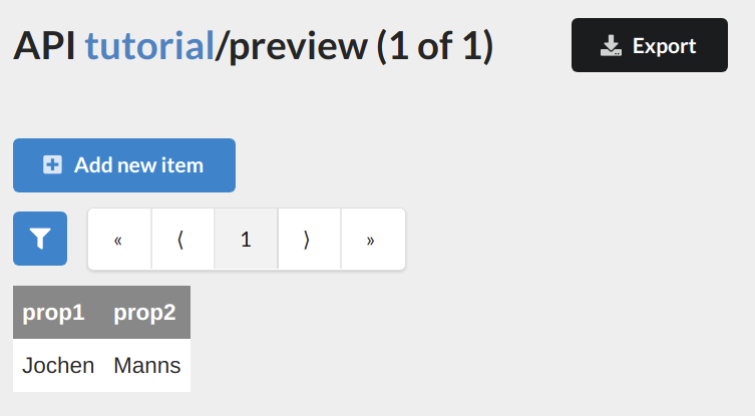
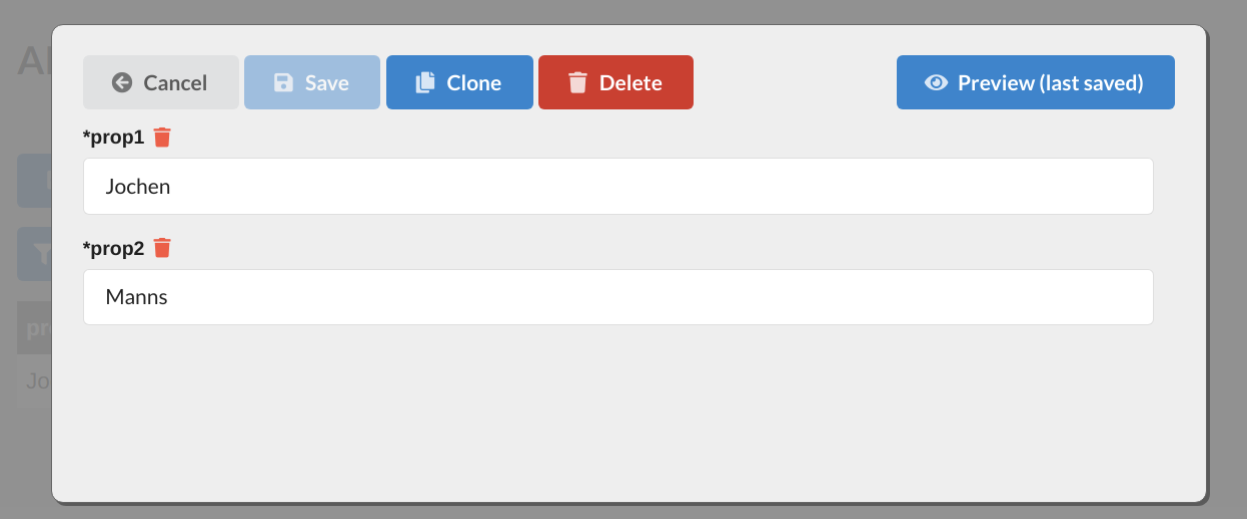
URL used for the preview:
https://www.preview.net/?ns=tutorial&api=preview&id=4381dc2c-0ca4-4b05-86c2-212ca14962df&lang=