Media file (file)
{
    "hideId": true,
    "fields": {
        "title": {
            "cms": {
                "column": true
            },
            "empty": false,
            "type": "string"
        },
        "image": {
            "cms": {
                "column": true
            },
            "type": "file"
        }
    }
}
A file field can hold any file content. If it is shown as a column in the list, the content can be retrieved directly via a link.
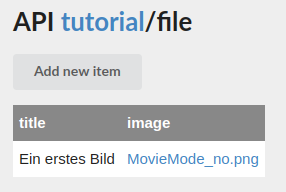
In the form this is only possible as long as the field refers to a file already stored in the CMS.
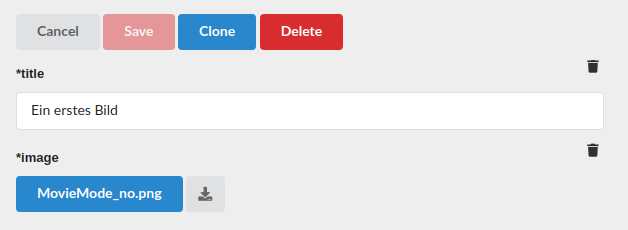
A new file is selected via the button labeled with the name of the previous file. The icon next to it displays the stored file in a new window or tab.
Thumbnails
With the parameter thumbnail, the CMS automatically generates a thumbnail when an image file is saved, e.g. "thumbnail": "192x108" (width x height in pixels). Thumbnails are only created when a file is saved. They are not generated retroactively for existing files.
{
    "fields": {
        "image": {
            "type": "file",
            "mime": ["image/jpeg", "image/png"],
            "thumbnail": "256x256"
        }
    }
}
Thumbnail from a video
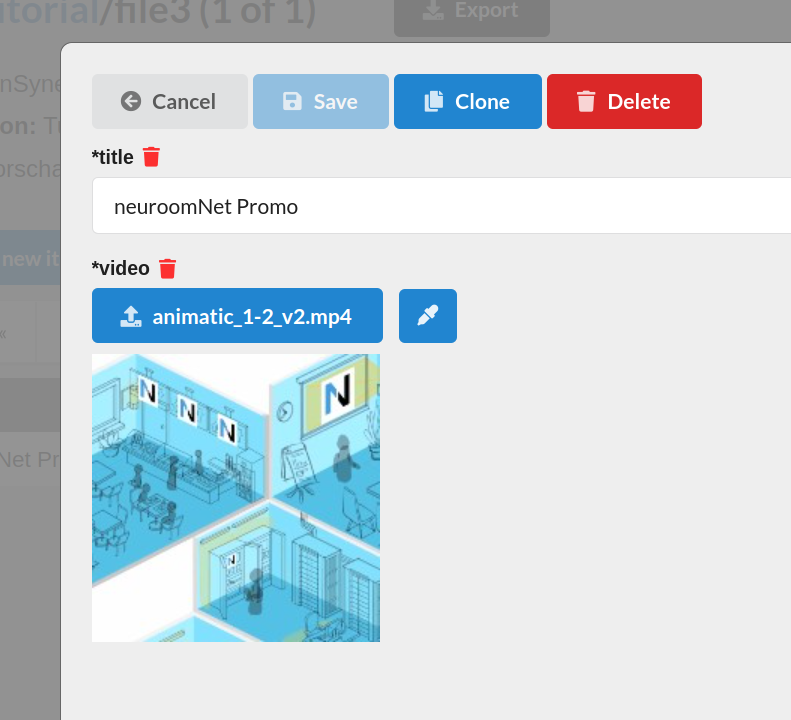
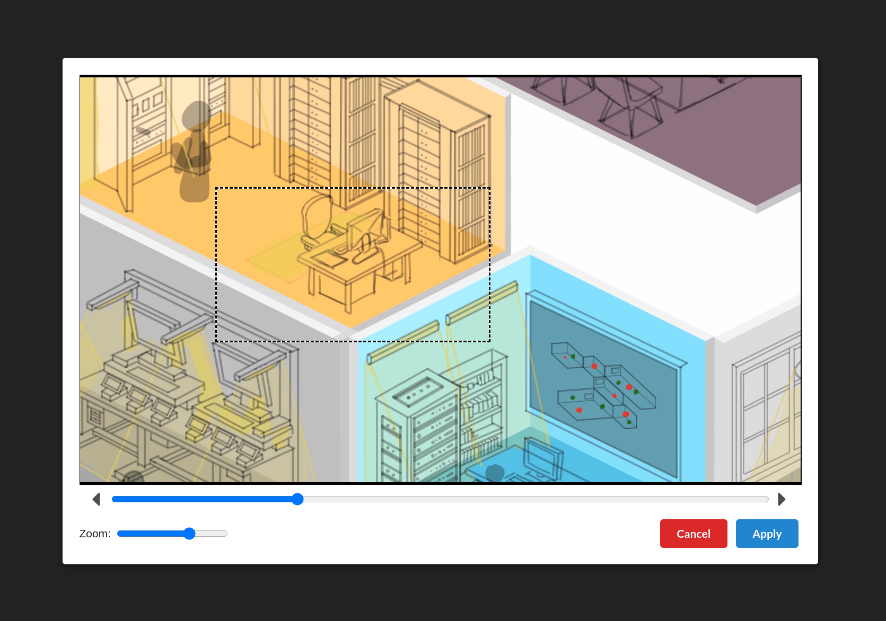
If thumbnail is set, a thumbnail can also be chosen for a video in the editing application. The button next to the file opens a dialog in which you select a position in the video and a crop area. The crop area does not have to be square.
Parameters
Media files are a CMS-specific type with no equivalent in fastest-validator.
| Parameter | Meaning |
|---|---|
optional | field may be missing (default false) |
localizable | separate file per language |
thumbnail | size of the thumbnail as <width>x<height> in pixels, e.g. 192x108. Generated automatically only for images and only if no thumbnail is explicitly supplied on upload. |
aspects | list of allowed aspect ratios of the form <number>:<number>, e.g. 16:9. Only images with one of these aspect ratios are accepted. |
mime | list of allowed MIME types. The check is for an exact match, so image alone is not permitted, only e.g. image/png. |
max | maximum file size in bytes |
Representation in the interface
/** Value of a file field. */
interface IFile {
    /** MIME type of the content, if known. */
    mime?: string
    /** File name as displayed. */
    name: string
    /** Reference to the file content (on retrieval) or name of the form value (on upload). */
    path: string
    /** Size in bytes, if known. */
    size?: number
    /** Automatically generated or supplied thumbnail. */
    thumbnail?: Omit<IFile, 'thumbnail'>
}
The CMS generally determines mime and size itself on upload. If a thumbnail is present, the editing application displays it in the form.
How files are uploaded and retrieved is described in the data interface.