HTML content (html)
{
    "fields": {
        "title": {
            "cms": {
                "column": true,
                "label": "Überschrift"
            },
            "empty": false,
            "type": "string"
        },
        "plain": {
            "cms": {
                "label": "TEXT"
            },
            "inputRows": 6,
            "optional": true,
            "type": "string"
        },
        "html": {
            "cms": {
                "label": "DraftJS"
            },
            "optional": true,
            "type": "html"
        }
    },
    "hideId": true
}
The data type html is intended primarily for input with a WYSIWYG editor in the editing application. What is stored is a description in draft-js format, converted to a string (JSON.stringify). Such values are therefore considerably more laborious to fill via the data interface.
The example therefore offers two variants for HTML content:
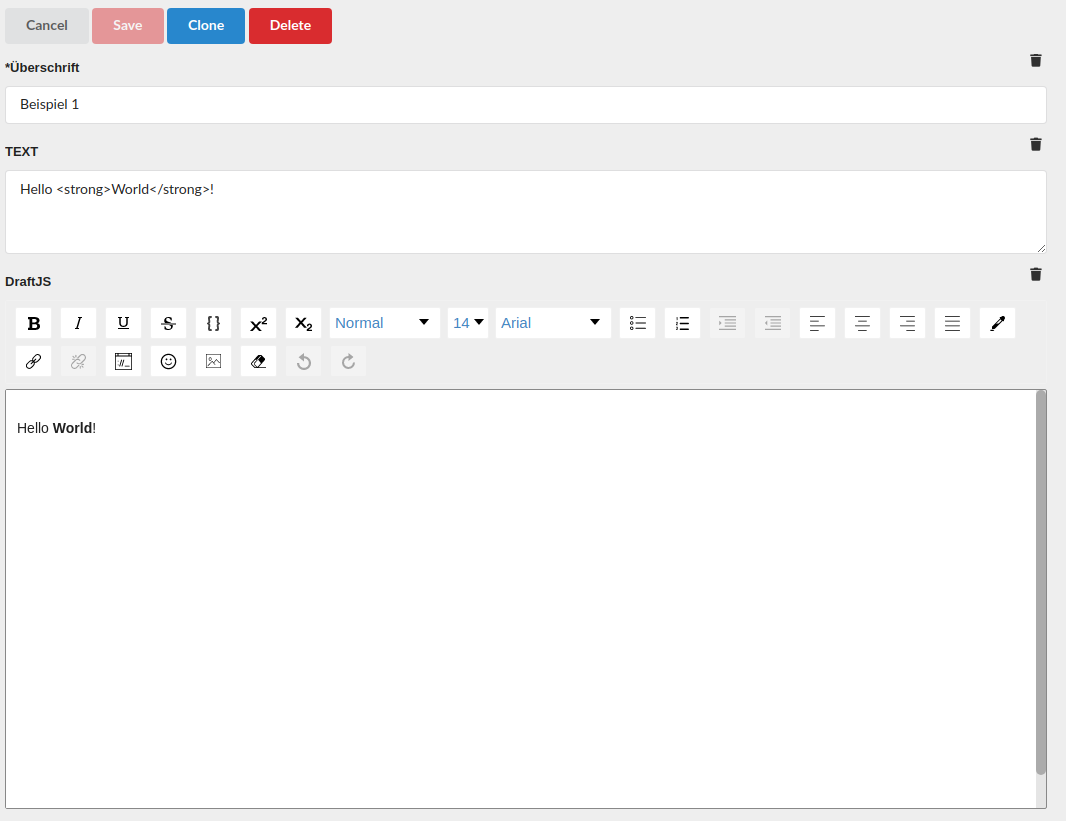
plain(displayed as TEXT) is a simple string, shown as a multi-line field because ofinputRows. It can be filled directly via the data interface.html(displayed as DraftJS) offers convenient and safe input of formatted text. The internal representation is ideal for editing in the editing application.
Which variant fits depends on the use case: if extensive texts are edited in the editing application, html is preferable. If records are mainly uploaded via the data interface, a simple string (string) is often more sensible.
Formatting options
Without further settings, html fields allow neither colors nor font sizes. If these nevertheless get into the content, they are removed when applications retrieve it. They are enabled via the parameter features, a list in which each value occurs at most once:
| Value | Effect |
|---|---|
fontSize | font size adjustable |
colorPicker | text and background color selectable (only both together) |
{
    "fields": {
        "text": {
            "type": "html",
            "features": ["fontSize", "colorPicker"]
        }
    }
}
Retrieval as HTML
When retrieving a record (GET or POST query), the parameter ?exported returns each HTML field as a string with ready-made HTML that can, for example, be displayed directly in the browser. A record retrieved this way cannot be edited. See Data interface.
Parameters
| Parameter | Meaning |
|---|---|
optional | field may be missing (default false) |
localizable | value per language |
features | additional formatting, see above |