String (string)
{
    "fields": {
        "name": {
            "cms": {
                "column": true
            },
            "empty": false,
            "max": 40,
            "min": 4,
            "optional": false,
            "type": "string"
        }
    }
}
The API contains a single field name. It must not be empty (empty), is required (optional) and must be between 4 (min) and 40 (max) characters long. "column": true in the metadata means that the field appears as a column in the list.

In the editing application, /form/#/tutorial/api1/@NEW creates a new record (or you simply navigate there):

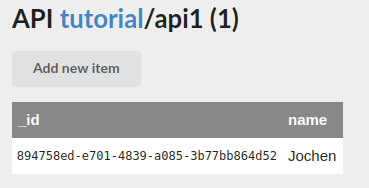
To modify it, click the entry in the list or open it directly, e.g. /form/#/tutorial/api1/894758ed-e701-4839-a085-3b77bb864d52. In your own experiments the identifier will of course be different.
Parameters
From fastest-validator:
| Parameter | Meaning |
|---|---|
optional | field may be missing (default false) |
empty | if a value is present, it may be empty (default true) |
min | minimum number of characters |
max | maximum number of characters |
pattern | regular expression that every value must match |
enum | list of allowed values. Instead of free input, the editing application offers a selection list. |
CMS-specific parameters:
| Parameter | Meaning |
|---|---|
localizable | value per language, see Multilingual content |
inputRows | integer ≥ 1. Instead of a single text line (input), the editing application shows a multi-line input field (textarea). |
suggestedValues | reference of the form namespace/api/field. The editing application loads the first 1,000 records of this API (sorted ascending by field) and offers the values for selection. |
suggestedValues is only an input aid: in the editing application, only values from the selection can be entered, but outdated values that no longer exist are not shown as errors. When saving via the data interface, values are not checked against the suggestion list.