Export and import
Export
In the editing application, there is an Export button for an entire namespace and for a single API. It returns a ZIP archive with all associated APIs and records. Since it also contains all media files, it can become quite large.
The export is a simple HTTP GET:
GET /data/<namespace>/_export/<pattern>
- namespace: the namespace to export from.
- pattern: a regular expression that determines the APIs to export. It must match the whole name.
| Call | Exports |
|---|---|
/data/tutorial/_export/api1 | the API api1 |
/data/tutorial/_export/.* | all APIs in the namespace tutorial |
/data/tutorial/_export/(api\d+|languages) | all APIs whose name starts with api and continues only with digits, as well as the API languages |
curl -u "$USER" -o tutorial.zip "$CMS/data/tutorial/_export/.*"
For the project view, there is also an export by project and application (see Classification). It can include APIs from different namespaces:
| Call | Exports |
|---|---|
/projects/_export/<project> | all APIs of the project |
/projects/_export/<project>*!*<application> | only the APIs of one application of the project |
In each case, only what the account has read rights on is exported.
Import
For the import, a ZIP archive created by an export is sent via HTTP POST to /import (Content-Type: application/zip). In the editing application, there is an Import button on the start page for this.
Selecting individual APIs from the archive is not supported. The process is controlled via URL parameters, e.g. /import?execute&insertOnly:
| Parameter | Effect |
|---|---|
execute | Without this parameter, the archive is only checked for usability; no data is changed. |
insertOnly | If an API already has records, only previously unknown records (_id) are taken over. Existing ones are never changed. |
allowDataLoss | Existing records are removed before uploading. The API then corresponds exactly to the state in the archive. |
skipProtectedApis | APIs into which the account is not allowed to upload records are skipped. |
skipProtectedNamespaces | Namespaces in which the account is not allowed to create or change APIs are skipped. |
# Check first
curl -X POST -u "$USER" -H 'Content-Type: application/zip' --data-binary @tutorial.zip "$CMS/import"

# Then execute, taking over only new records
curl -X POST -u "$USER" -H 'Content-Type: application/zip' --data-binary @tutorial.zip "$CMS/import?execute&insertOnly"
The parameters should be chosen with care and not set unnecessarily, execute of course excepted. A careless allowDataLoss can lead to the irretrievable loss of existing data.
Process
- The description of all affected APIs is brought to the state of the archive. Existing records can become invalid as a result; no migration takes place. If possible, the existing API is deleted for this, namely if it has no records yet or
allowDataLossis set. - If an API has records and neither
allowDataLossnorinsertOnlyis set, the process aborts. - If the account is not allowed to create or change APIs in the namespace and
skipProtectedNamespacesis not set, the process also aborts with an error. - All records and files of the archive are uploaded. Already existing identical records remain unchanged. This only occurs with
insertOnly; otherwise the API including its data was deleted beforehand. - If the account is not allowed to create, change or delete records in an API and
skipProtectedApisis not set, the process ends with an error message.
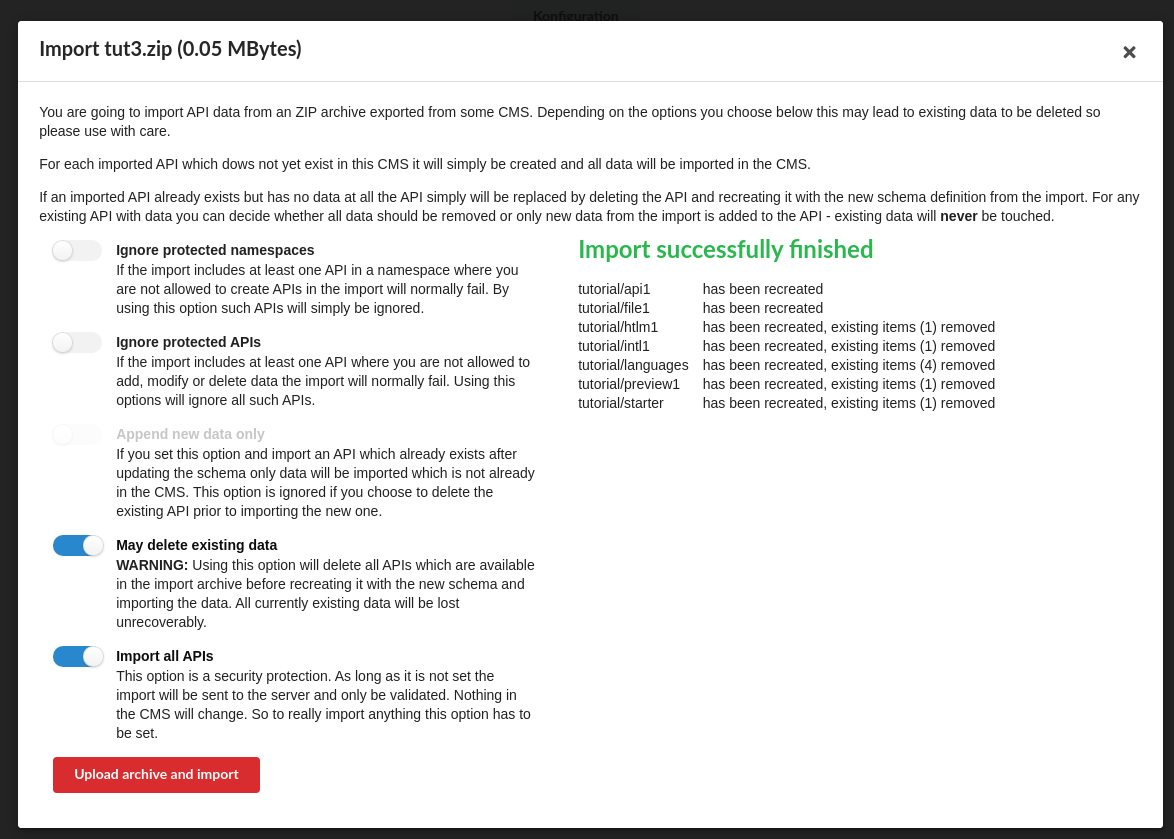
The response describes the result as JSON. The editing application displays it for each API in the archive, together with the overall success. The dialog explains the parameters again in more detail.
Typical use
A CMS that runs on the internet during the development phase is transferred to the local CMS of the exhibition for the opening (see When does the data arrive?): export of the namespace or project in one CMS, import with execute in the other.