Release Notes 2026.1
Below is a list of the most important features, changes and bug fixes in this release.
Features
Traffic Inspector module: Improved filters
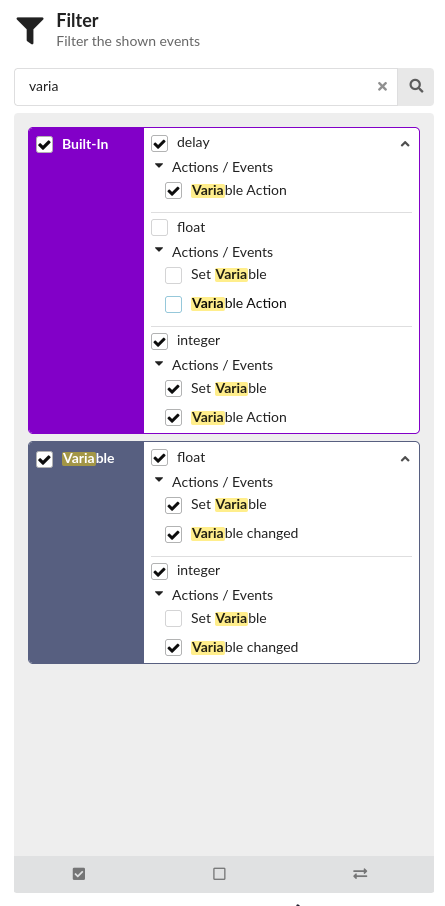
Improvements to the event filter
- Filters are automatically generated based on available events.
- The items in the filter list are now sorted alphabetically.
- Expand/Collapse functionality has also been implemented for the items in the filter list.
- New buttons have been implemented for filter selection...
UI optimisations
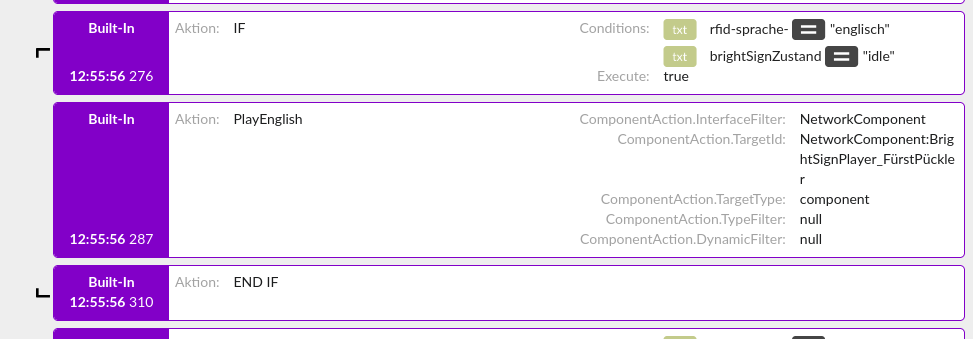
- If, Else and EndIf blocks are now displayed more clearly in the logs.
- “If”, “Else” and “EndIf” are now represented visually by icons.
- The display of log entries has been made clearer by adding a ‘hidden’ property. Parameters marked as hidden are concealed on the cards in the log, but can still be viewed in the details (right-hand column).
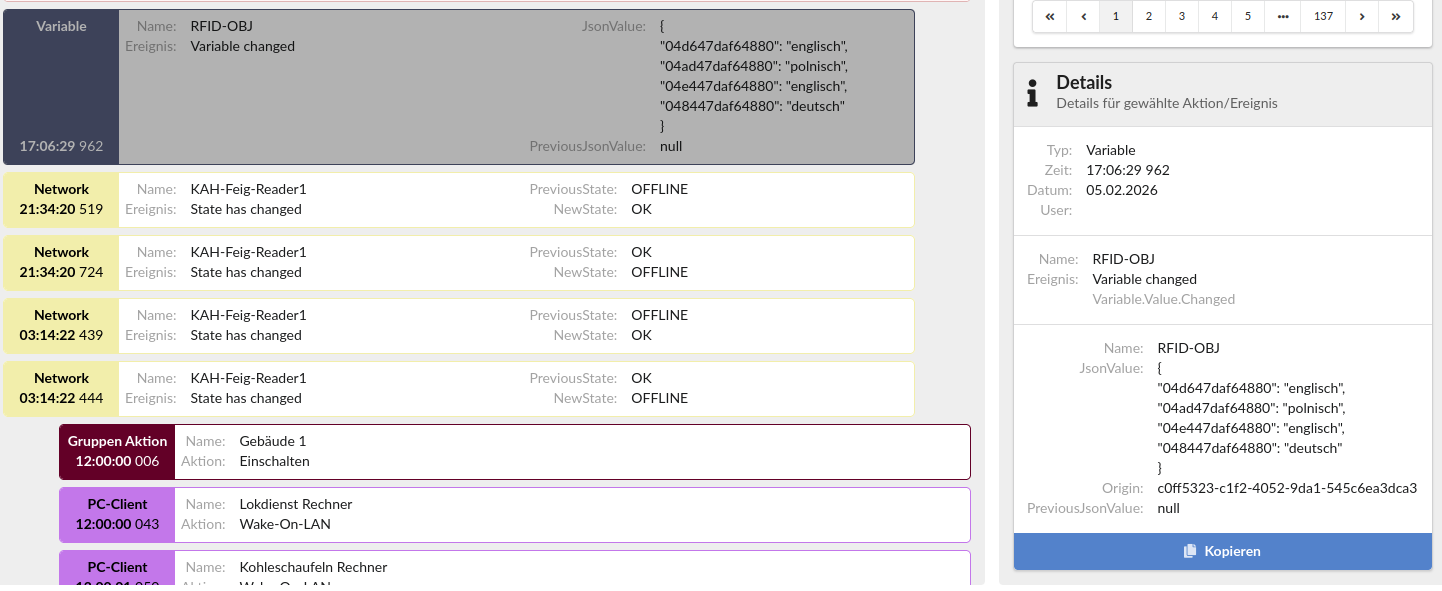
- The coloured area on the left of each card (event type) has been widened so that fewer names need to be wrapped. Line breaks have been added.
Improvements to the Event View
- The clarity of the Event View has been improved by resolving all UUIDs of groups, components or variables into readable labels. The UUID is still displayed if no name has been stored.
- If no ‘name’ has been stored, “displayName” in the filter is now filled with ‘—’.
- The Remove button (X) has been removed as it is not required.
Archive control
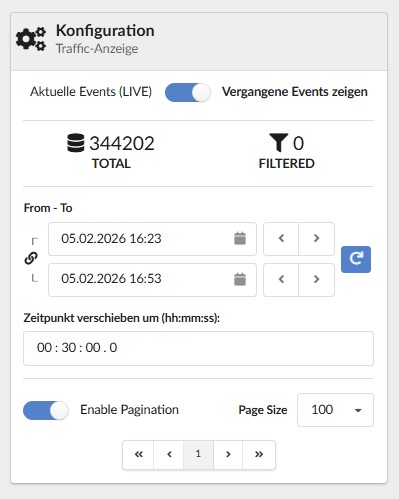
- The Archive view (“Show past events”) now supports the selection of a date range by specifying a start and end time.
- The user interface has been improved with the introduction of pagination.
Script Blocks Module
New file types: Objects (JSON)
- There are new file types:
ObjectandObject List. The objects are populated in JSON format. This enables more complex data management than before.
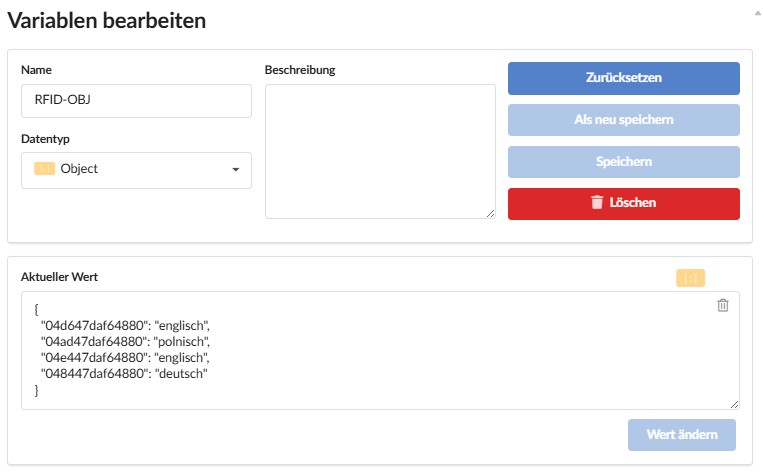
- The editors for variable contents have been standardised in the Script Blocks section (under Variable Actions, If Conditions, etc.).
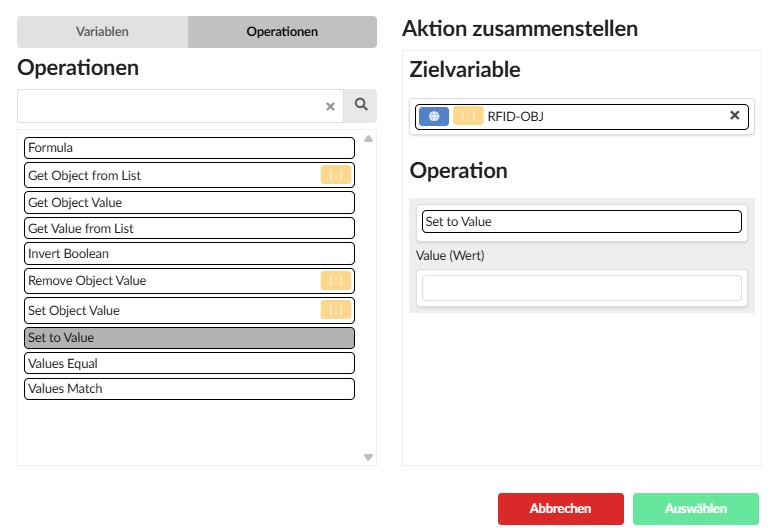
New operations for Object:
- Get Object Value
- Set to Value
- Values Equal
- Values Match
New operations for Object List:
-
Get Object from List
-
Get Object Value
-
Remove Object Value
-
Set Object Value
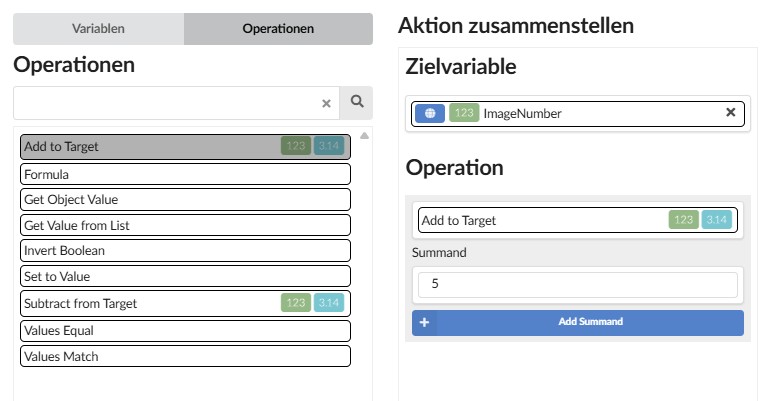
New operations for numeric variables
In the variable actions, there are new simple operations for the Number and Float variable types:
- Add to Target
- Subtract from Target
You no longer need to create a formula to perform simple addition and subtraction.
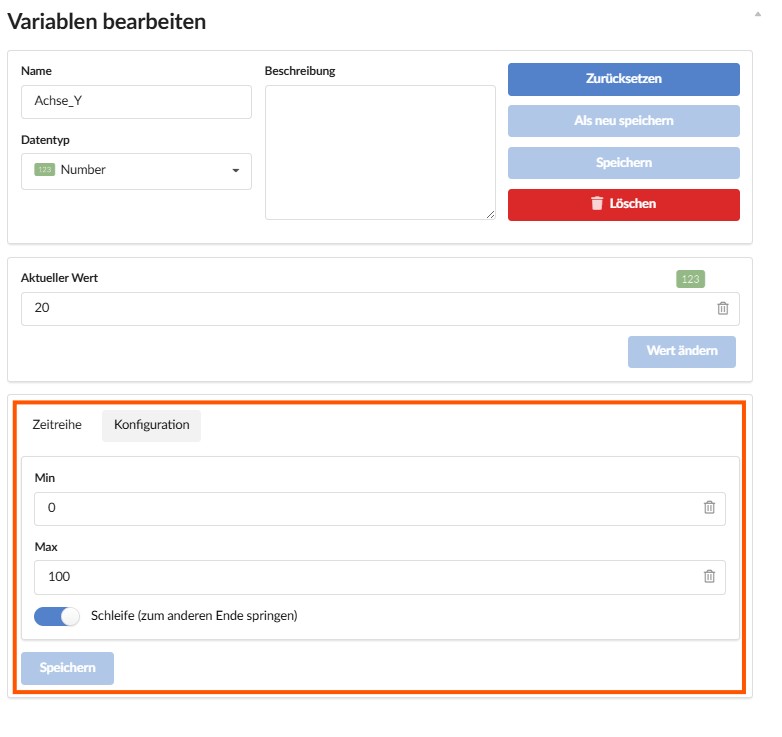
Threshold values (minimum/maximum) for numeric variables
KNX Administration Module: Display of KNX addresses in the list
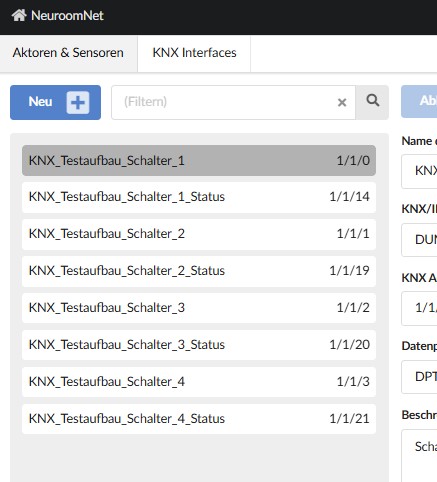
- The list display in the KNX Administration module has been revised. KNX addresses are now shown on the items in the list, making it easier to filter and locate them more quickly.
- The search function has been improved so that the description field of the KNX components is also searched.
Module Dashboard
Hyperlinks as Onclick Events
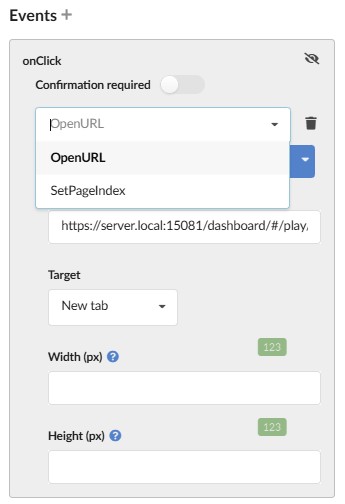
- In the Dashboard, for controls that support an onClick event (e.g. buttons), you can now select the ‘OpenURL’ action. This allows you to open a hyperlink to another dashboard or a website. You can select ‘Current tab’, ‘New tab’ or ‘New window’ as the target.
New Camera Control
There is a new Camera control. This allows camera streams, for example from a mobile device, to be integrated into the dashboards.
Improved installation routine for NeuroomNet
- MongoDB has been moved into its own Docker containers
- Docker logs have been expanded and improved
During a new installation, the database is now installed in a container. This makes it less dependent on the operating system version and easier to update.
The "/logs" endpoint provides access to the logs of the core services for diagnostic purposes.